Redesigning agent onboarding for a PLG journey
Role
Product Designer
Skills
Product Design, Product Strategy ,Prototyping
Our initial agent platform onboarding assumed a technical user. It exposed configuration early, asked users to make setup decisions quickly, and worked better as an implementation flow than a PLG journey. That made sense in the first phase of the agentic platform, when the product was still proving the depth of what agents could do.
For the new PLG journey, the goal changed. We needed onboarding that could help users understand the platform, try a working agent, and then build their own with guidance. ABL introduced role-based personalization, a pre-built test drive, Arch as an AI onboarding agent, and a guided path to deployment.
The initial agent platform onboarding was built around configuration: users had to understand agent setup, knowledge sources, rules, providers, and deployment logic before they had seen a meaningful outcome. It served technical implementation, but it did not help a new PLG user quickly understand why the platform mattered.
The core design tension: reduce configuration friction without making the platform feel shallow to technical evaluators.
The old flow assumed users already understood how agent configuration worked.
Business users had to move through technical setup before seeing a clear outcome.
Technical users still needed depth, but not every user needed to start there.
The product needed to prove value before asking for knowledge sources, rules, providers, and deployment settings.
The new PLG journey needed to move users from login to a believable agent path quickly.
Old Onboarding Flow
The earlier agentic platform onboarding began inside a technical workspace. Users created an app, described it to a co-pilot, selected app details, chose an AI model, and then moved into first-agent setup. The flow was capable, but the experience felt closer to implementation than product-led discovery.
These screens became the clearest evidence for the redesign: the new journey had to preserve configuration depth while changing the order of the experience. Users needed to see value, understand the agent behavior, and get help from Arch before being asked to make deeper setup choices.
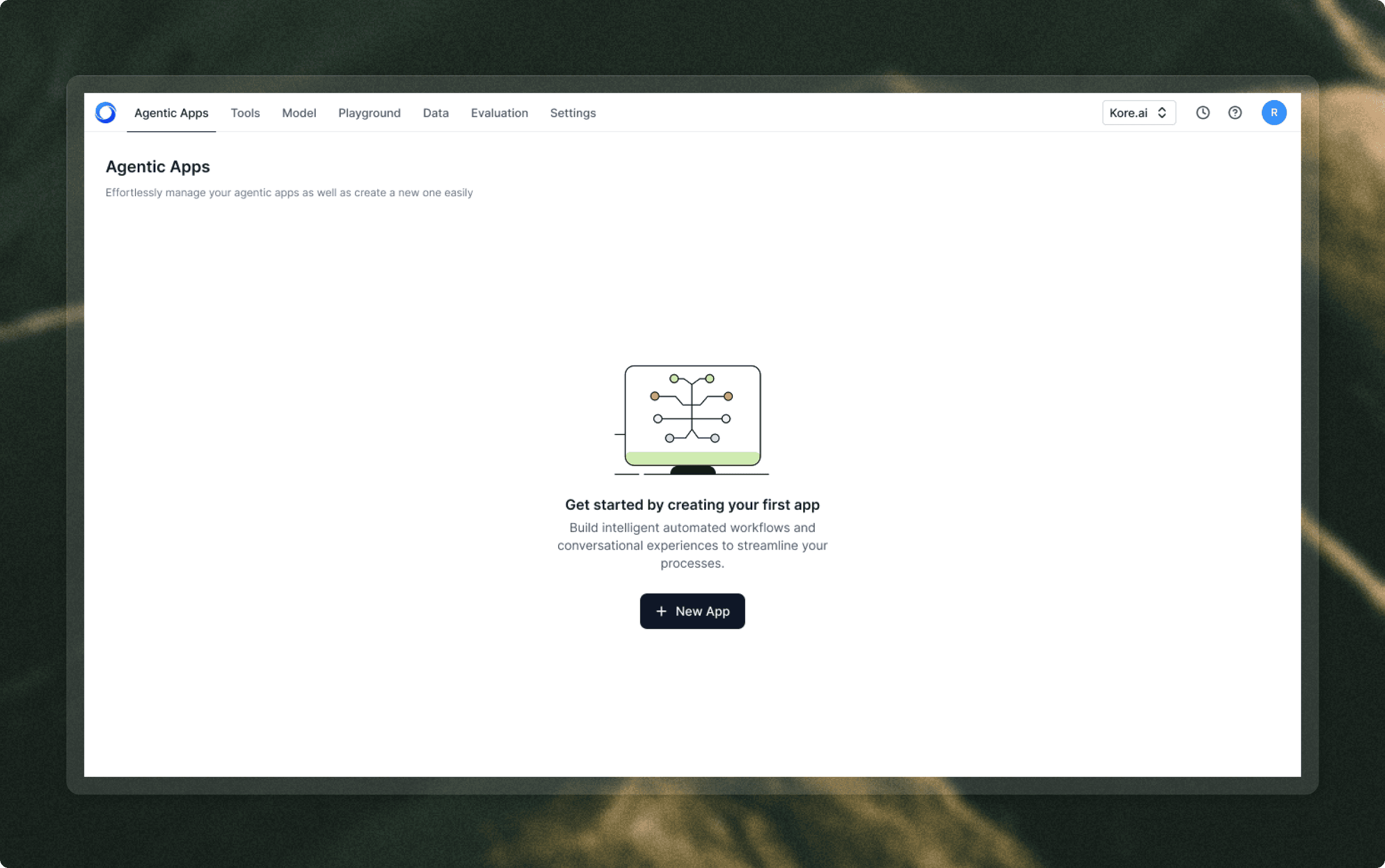
Landing page empty state
The older journey started in an Agentic Apps workspace and asked users to create a new app before they had experienced the product value.
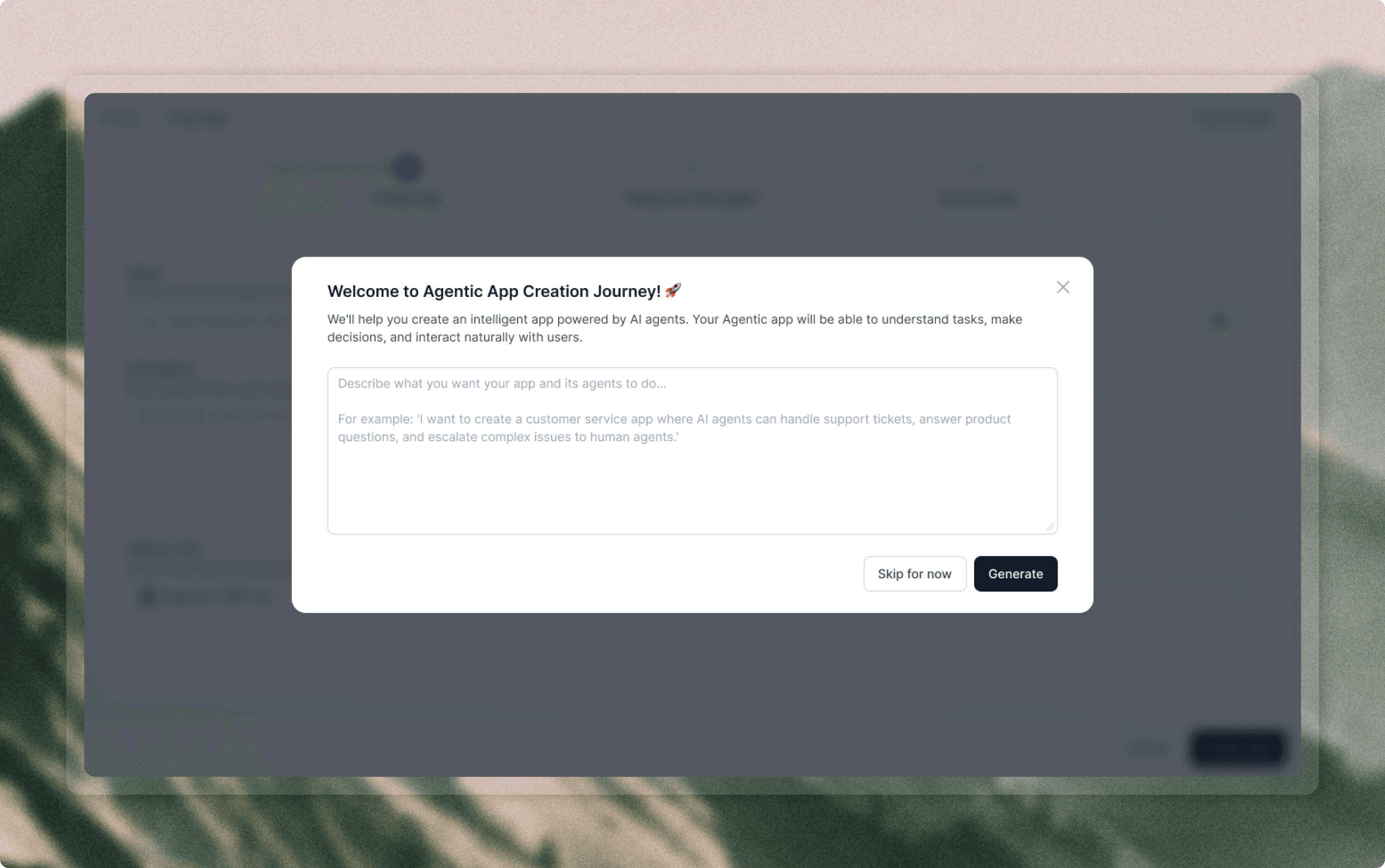
Co-pilot prompt
The co-pilot helped users describe an app, but the conversation still lived inside a setup-heavy creation path.
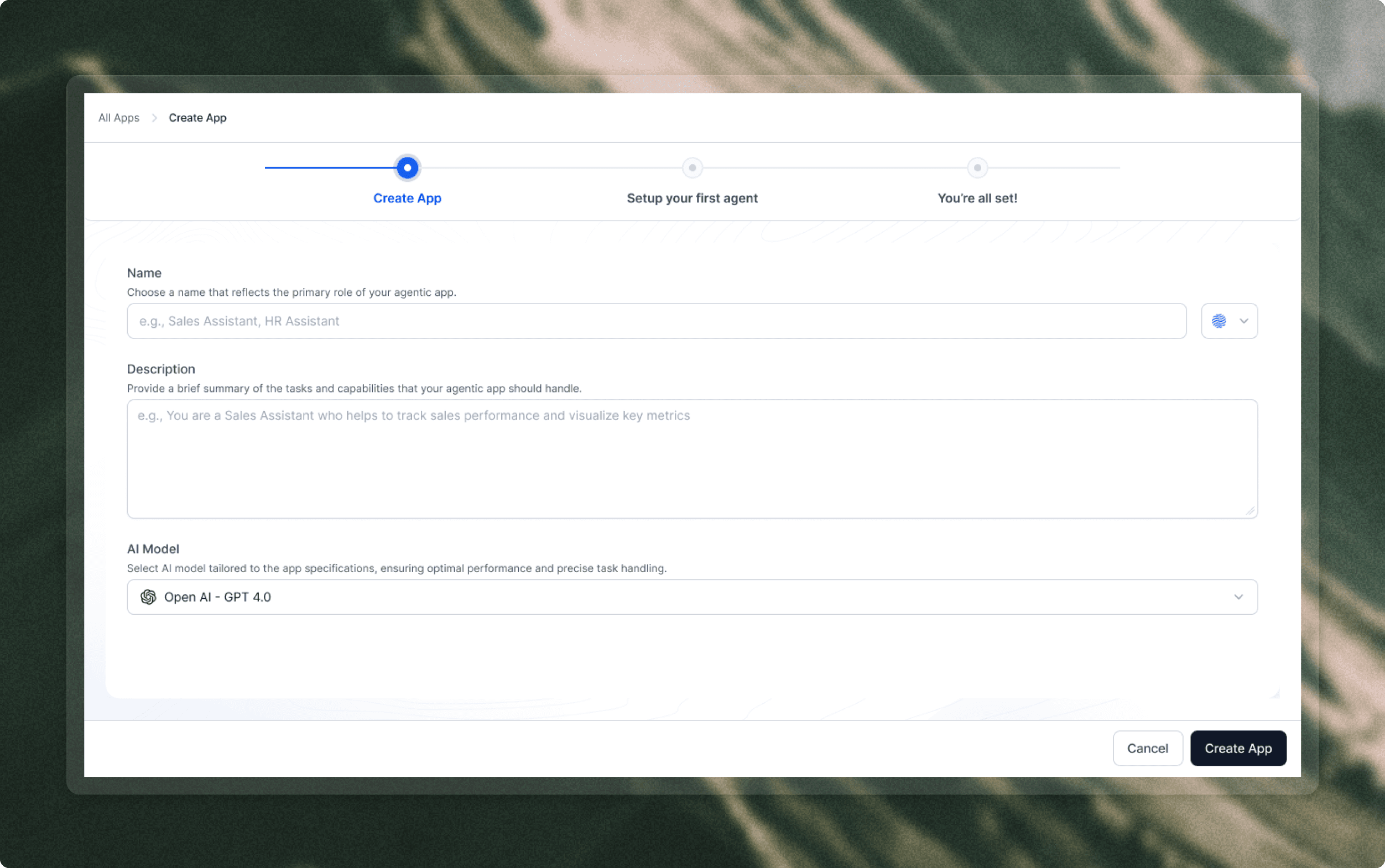
Create app details
Users had to name the app, write a description, and choose an AI model before seeing a working agent experience.
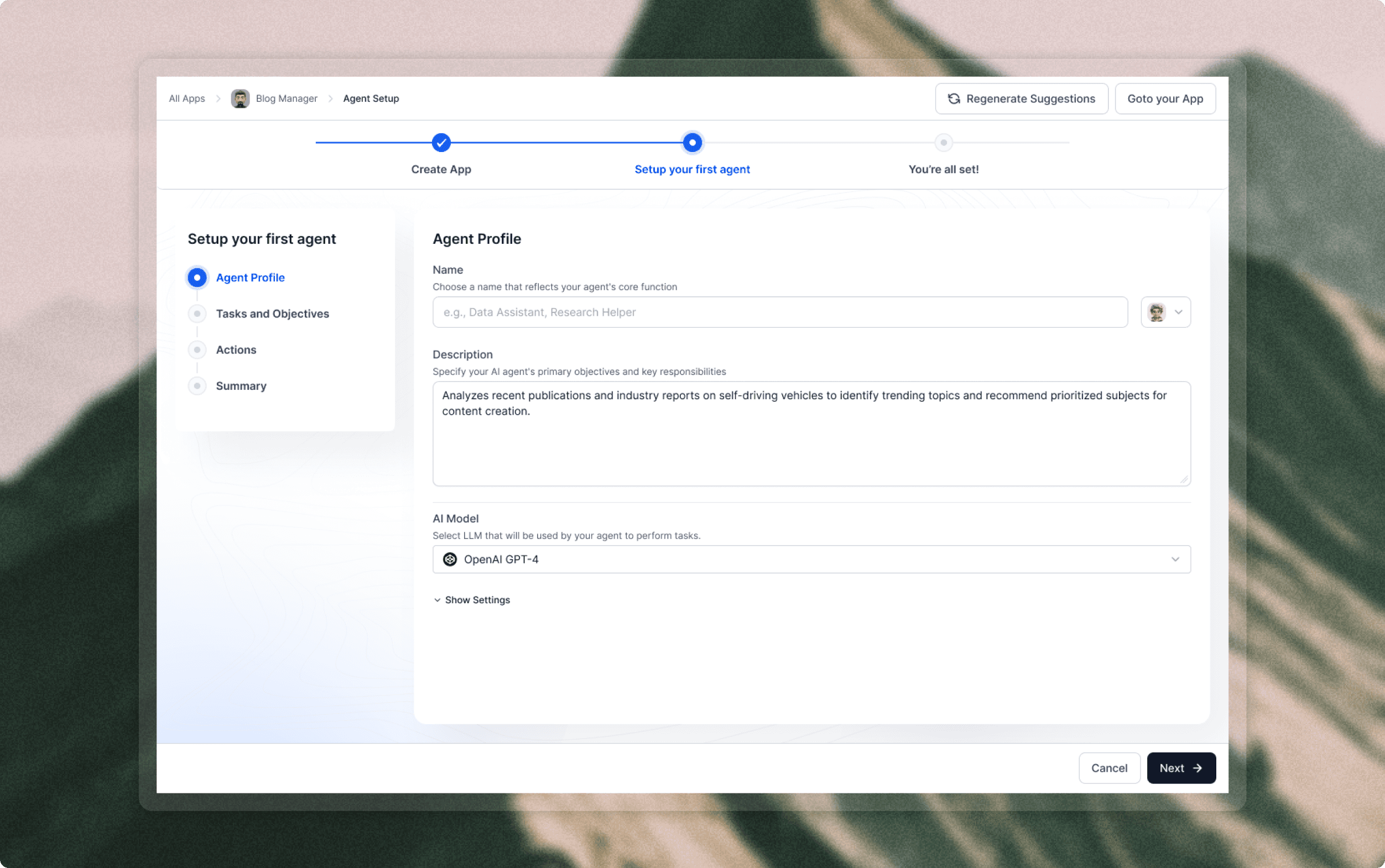
Agent profile
The next stage moved into first-agent setup, with fields for name, description, model choice, and settings.
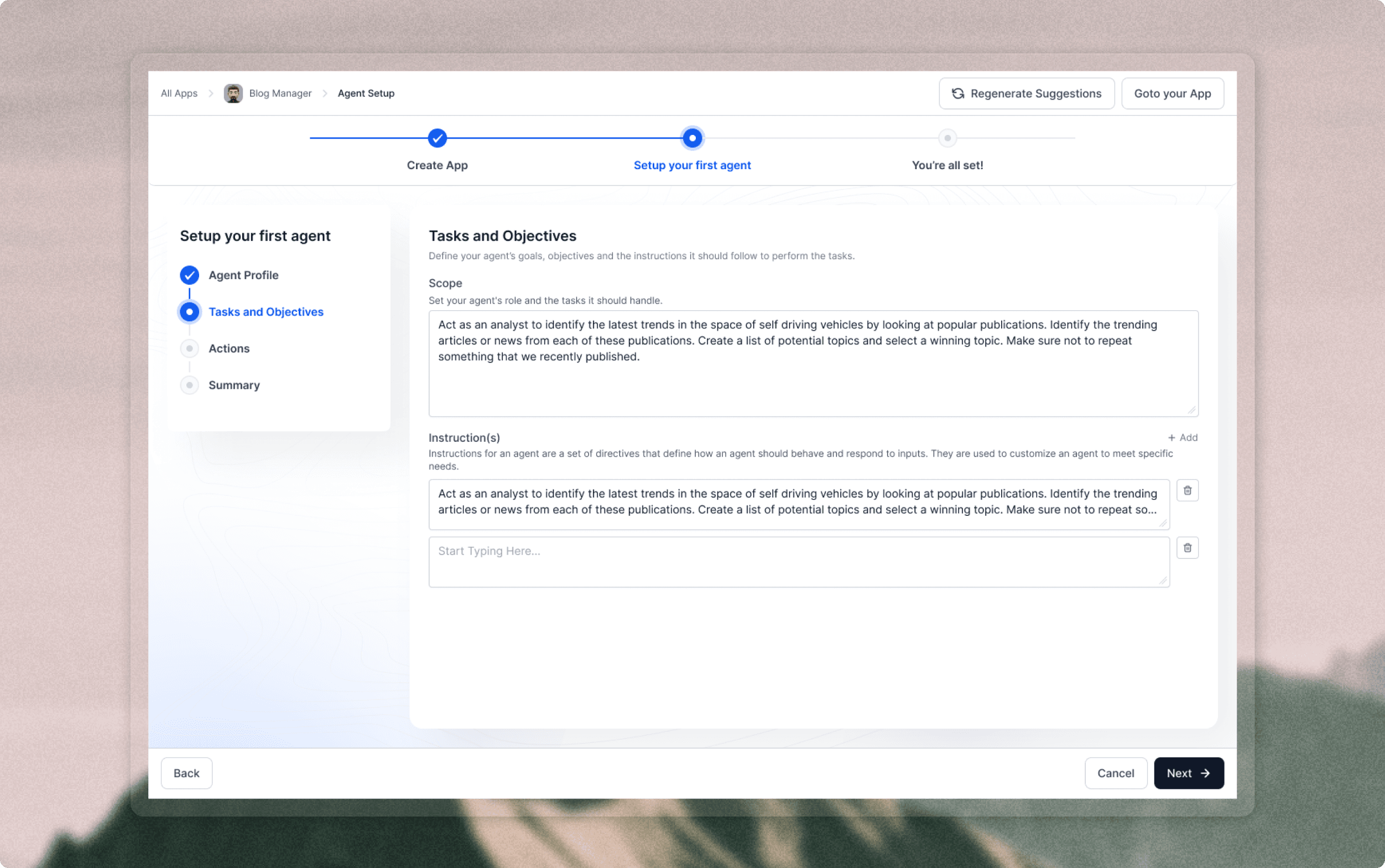
Tasks and objectives
Users defined the agent's scope and instructions through long-form configuration before the agent had been tested.
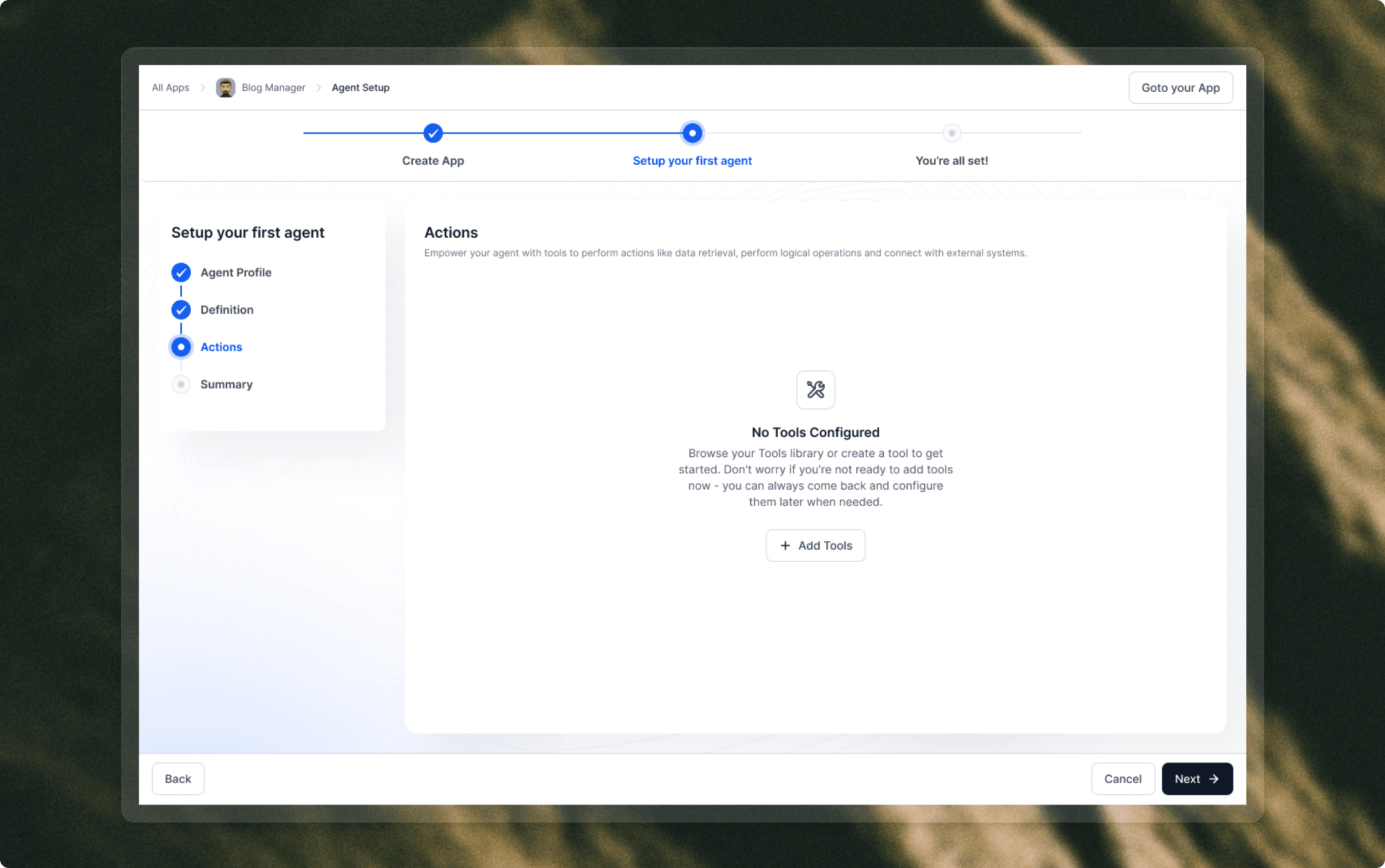
Actions empty state
The setup then asked users to add tools, introducing another technical decision point in the first-run path.
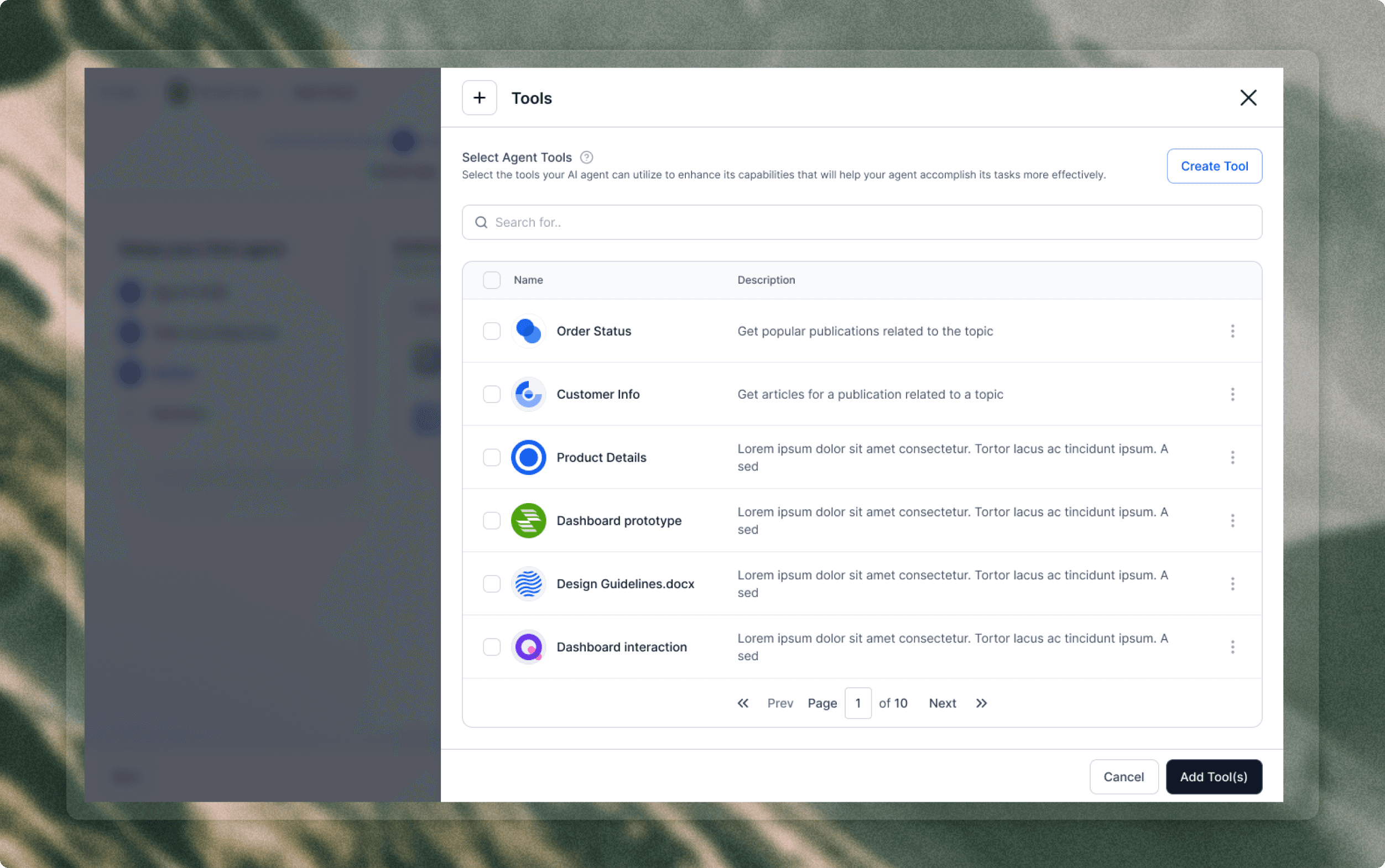
Tool selection
Adding tools opened a library-style drawer where users had to understand which capabilities belonged to the agent.
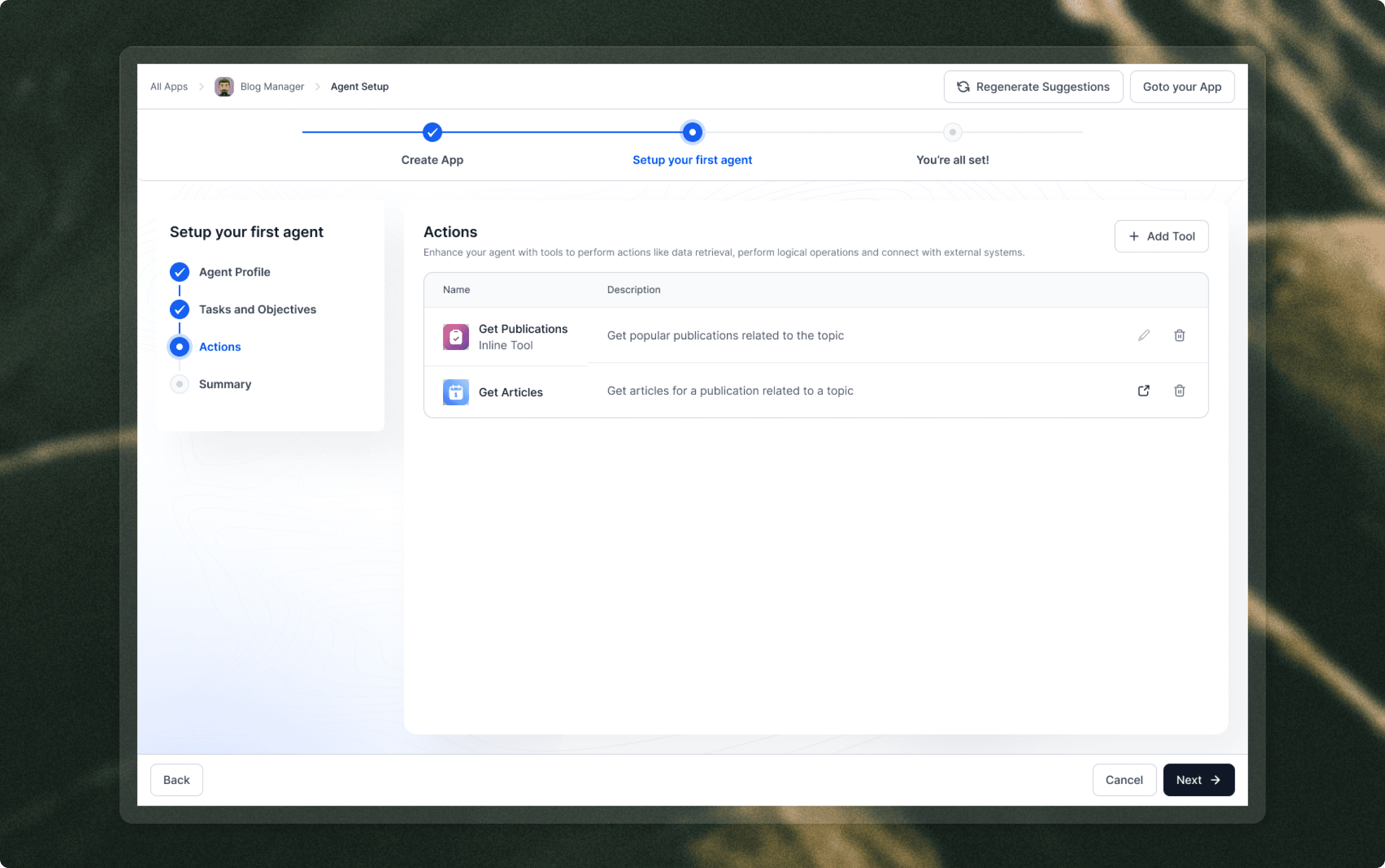
Configured actions
Once tools were selected, users reviewed action names and descriptions as part of the initial setup sequence.
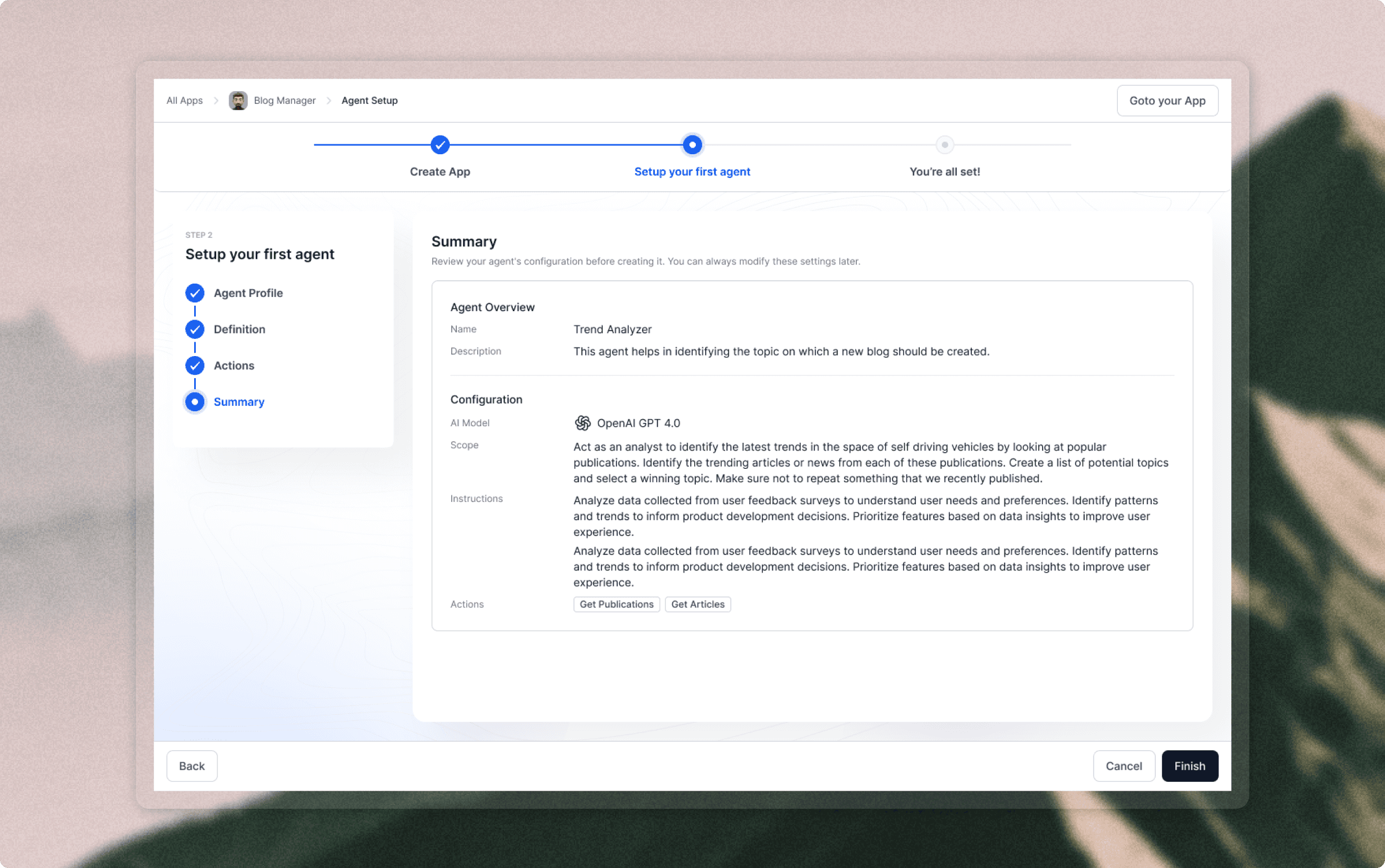
Setup summary
The summary consolidated model, scope, instructions, and actions only after several configuration-heavy screens.
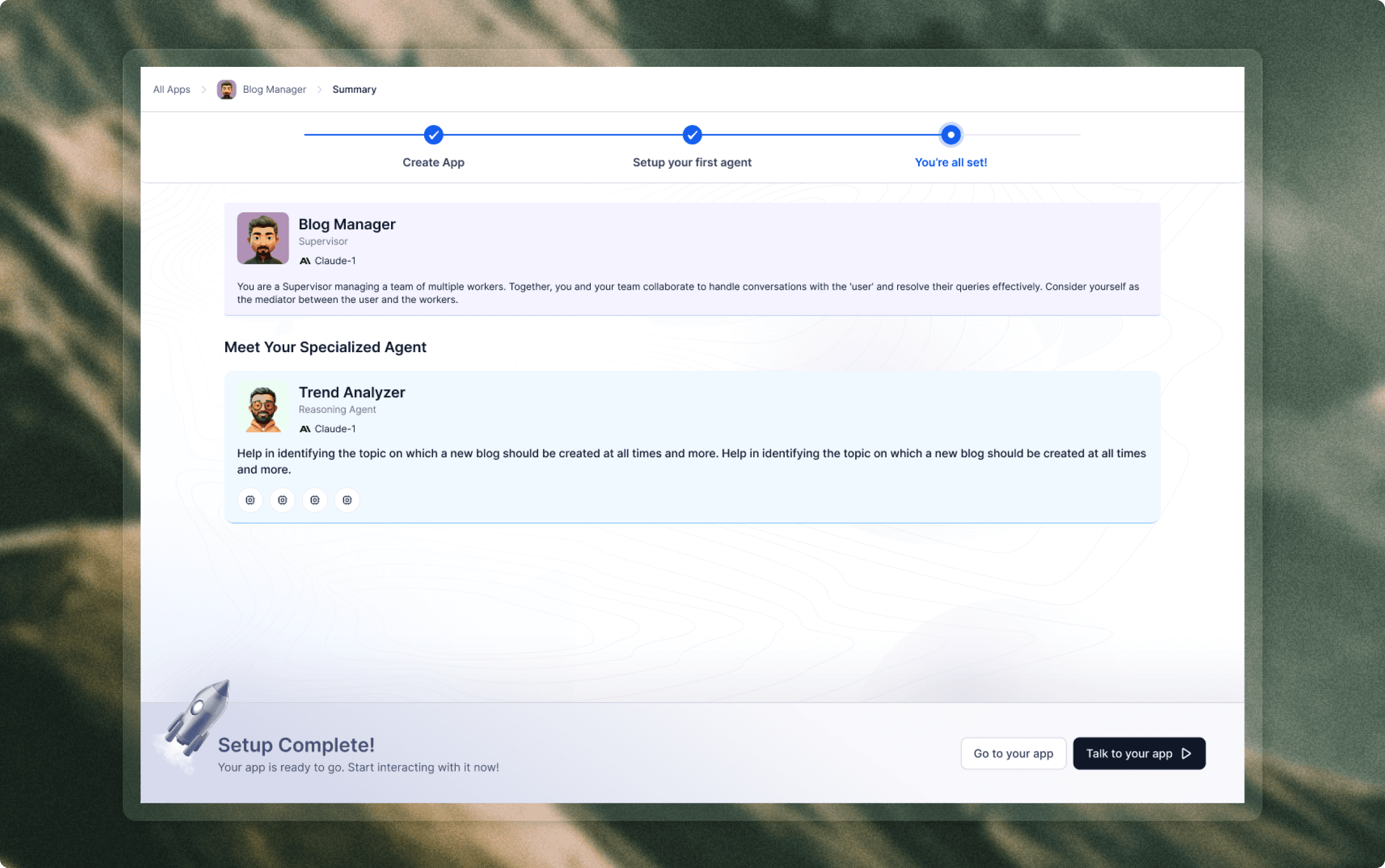
Setup complete
The user reached the finished app after creating the app and configuring the first agent, which made activation feel delayed.
We looked at where the older onboarding slowed down: users had to make technical decisions before they had a mental model of the platform. They were choosing app details, AI models, agent profiles, instructions, actions, sources, rules, providers, and setup paths before seeing what a useful agent experience could feel like.
01 / User segments
One PLG flow had to serve multiple mindsets.
Business leaders, CX operators, developers, and enterprise architects all cared about different things. The flow needed to adapt without becoming separate onboarding products.
02 / Journey review
The old blank-canvas start created hesitation.
Users needed a believable example before they were ready to upload docs, define rules, choose voice providers, or approve architecture.
03 / Prototype learning
Reasoning visibility kept technical trust intact.
The new PLG journey could be simpler, but it still needed to expose intent detection, retrieval, policy application, and action triggers for evaluators.
04 / Arch opportunity
Arch could replace documentation detours.
A step-aware AI onboarding agent could answer questions, accept files and rules, and help users reason through setup without leaving onboarding.
Move from technical setup first to value proof first.
Lead with role and use case so the product speaks the user's language.
Expose reasoning and architecture so simplified onboarding still feels trustworthy.
Make Arch the place for questions, files, rules, and technical inference.
The onboarding model became a simple progression: understand the user, prove the agent experience, then guide the custom build. Instead of asking users to configure everything upfront, the journey shows value first and introduces complexity only when it becomes useful.
Act 01
Personalize
Replace technical assumptions with role and use-case questions that make the product speak the user's language.
Act 02
Prove
Let users test a pre-built agent before they commit to configuration, uploads, providers, or deployment choices.
Act 03
Build with Arch
Use Arch as the conversational control surface for questions, files, rules, and setup decisions.
Teach through action
Introduce scenarios, reasoning, rules, architecture, and deployment only when they become useful.
Make Arch practical
Let Arch read sources, explain steps, generate rules, recommend providers, and modify the system.
Keep launch visible
Point every step toward a concrete end state: channel selected, mode chosen, and agent ready to test.

Every generated decision can be questioned, edited, or rebuilt from the chat.
Step-level help
Users can ask about the current step without leaving the onboarding path.
Context through chat
Arch accepts uploaded material, rules, PDFs, Markdown notes, and process descriptions as build inputs.
Technical inference
Builders can use natural language to inspect, reason through, and refine setup decisions.
Onboarding Flow
01 / Entry
Start simple, then personalize.
The flow keeps access lightweight, then asks only what is needed to tune the experience around role and agent type.
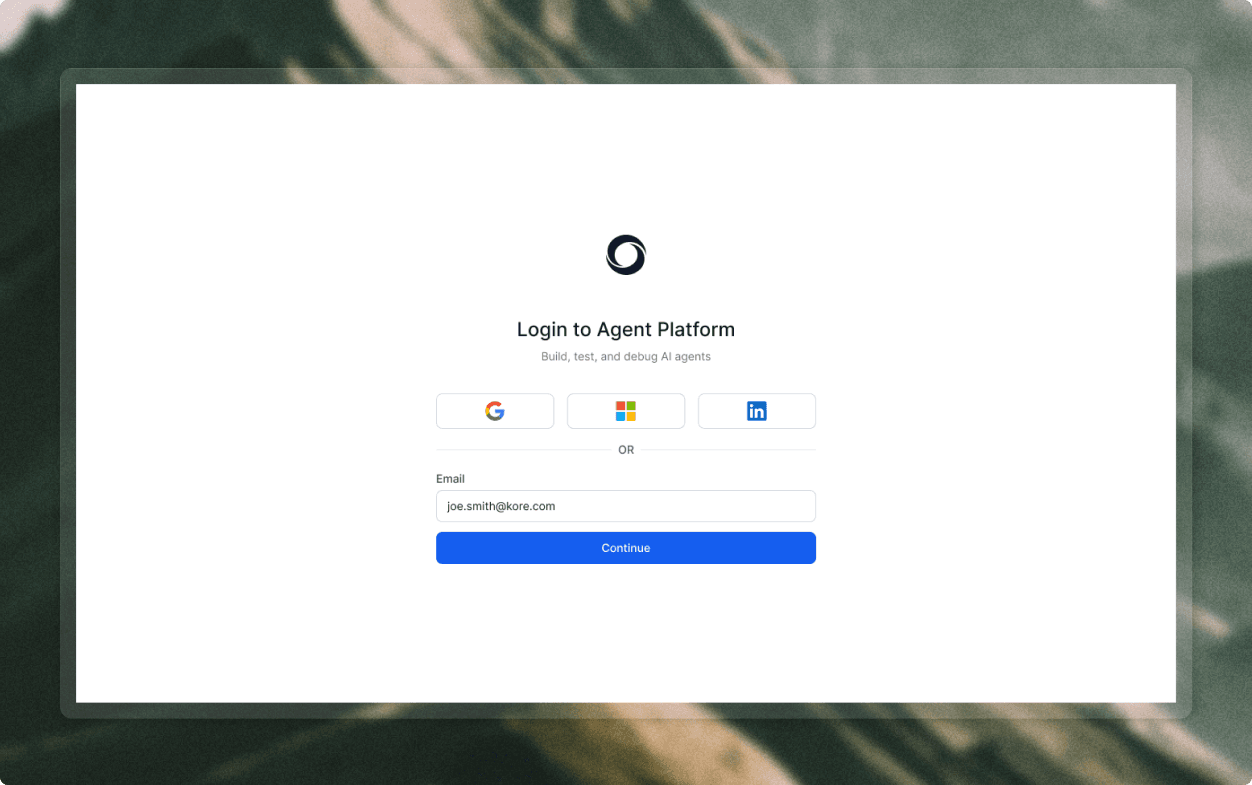
Login and product promise
The first screen keeps the promise direct: build, test, and debug AI agents.
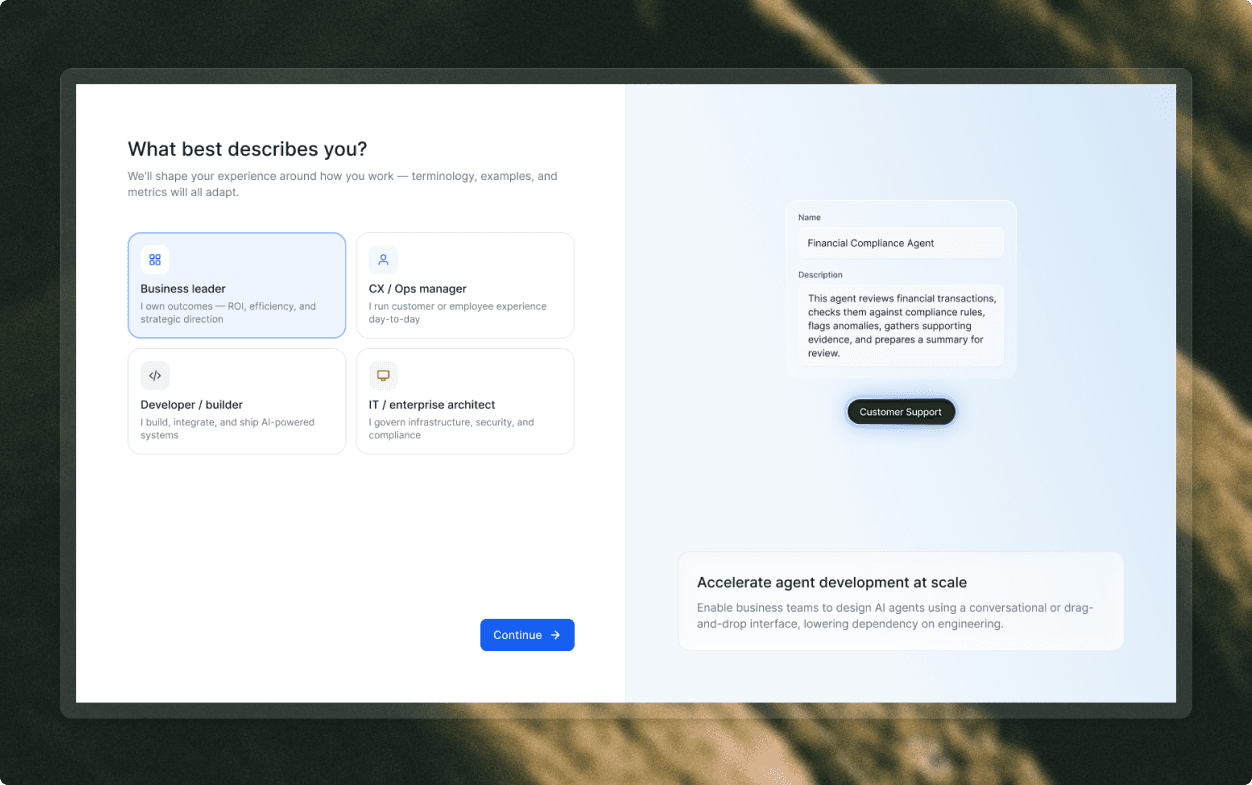
Role-based personalization
Role selection adapts terminology, examples, and metrics before deeper setup appears.
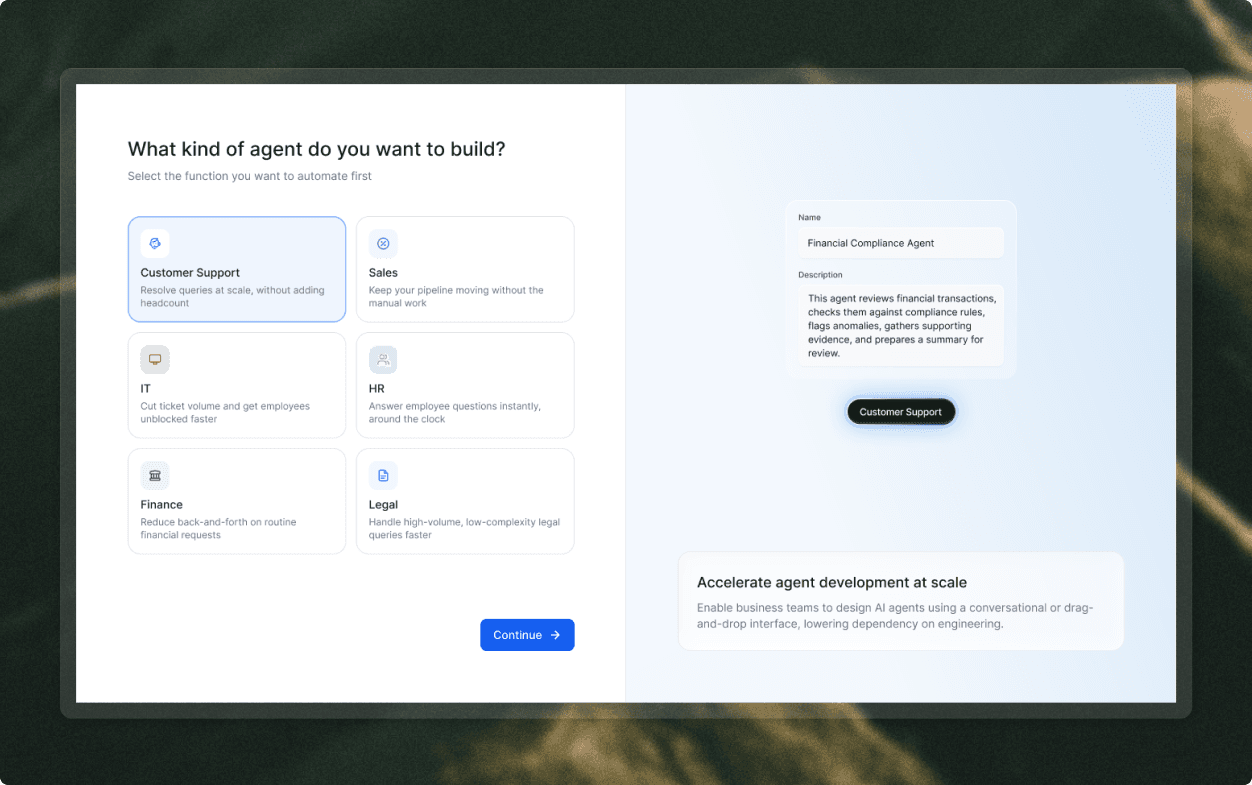
Use-case selection
Agent type selection frames the first branch around user goals, not platform taxonomy.
02 / Proof
Show the agent before asking users to build.
The pre-built support demo gives users a low-risk way to test voice, chat, scenario handling, and reasoning.
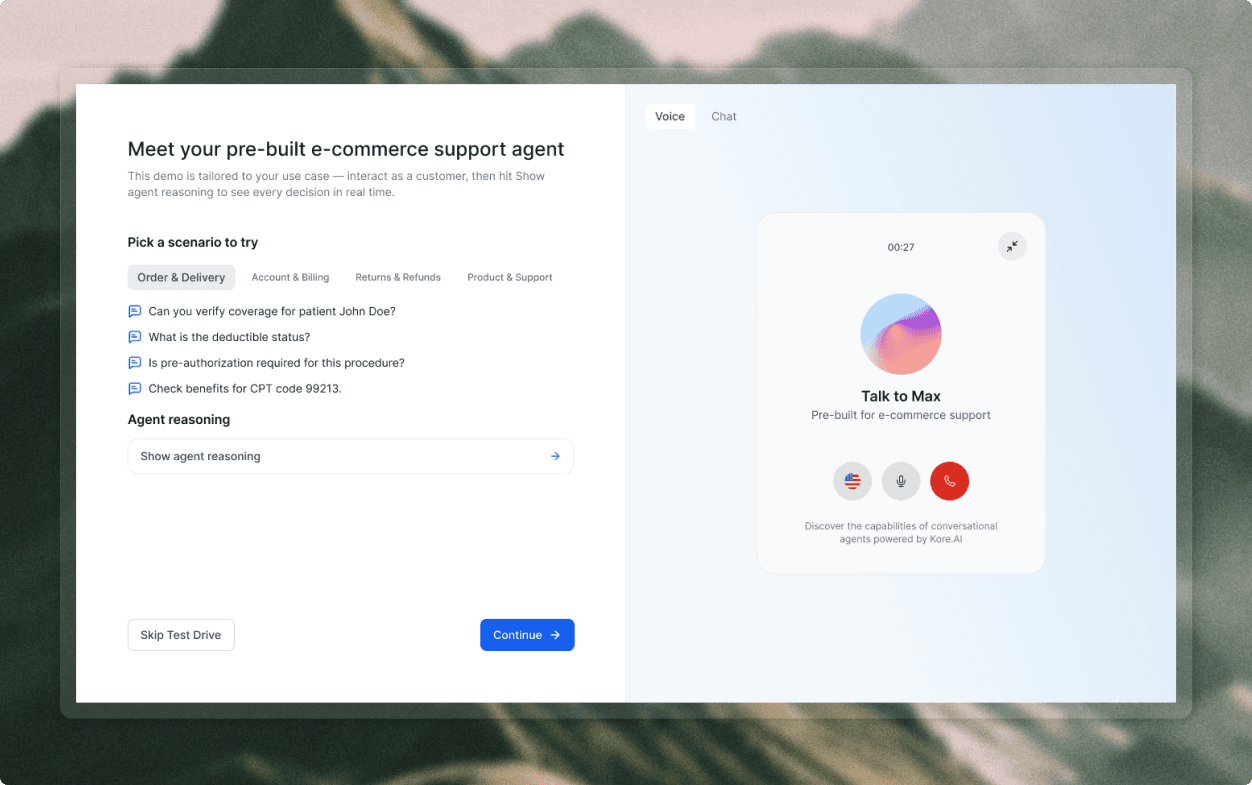
Voice test drive
The demo makes the agent tangible with scenarios and a call-style interface before setup begins.
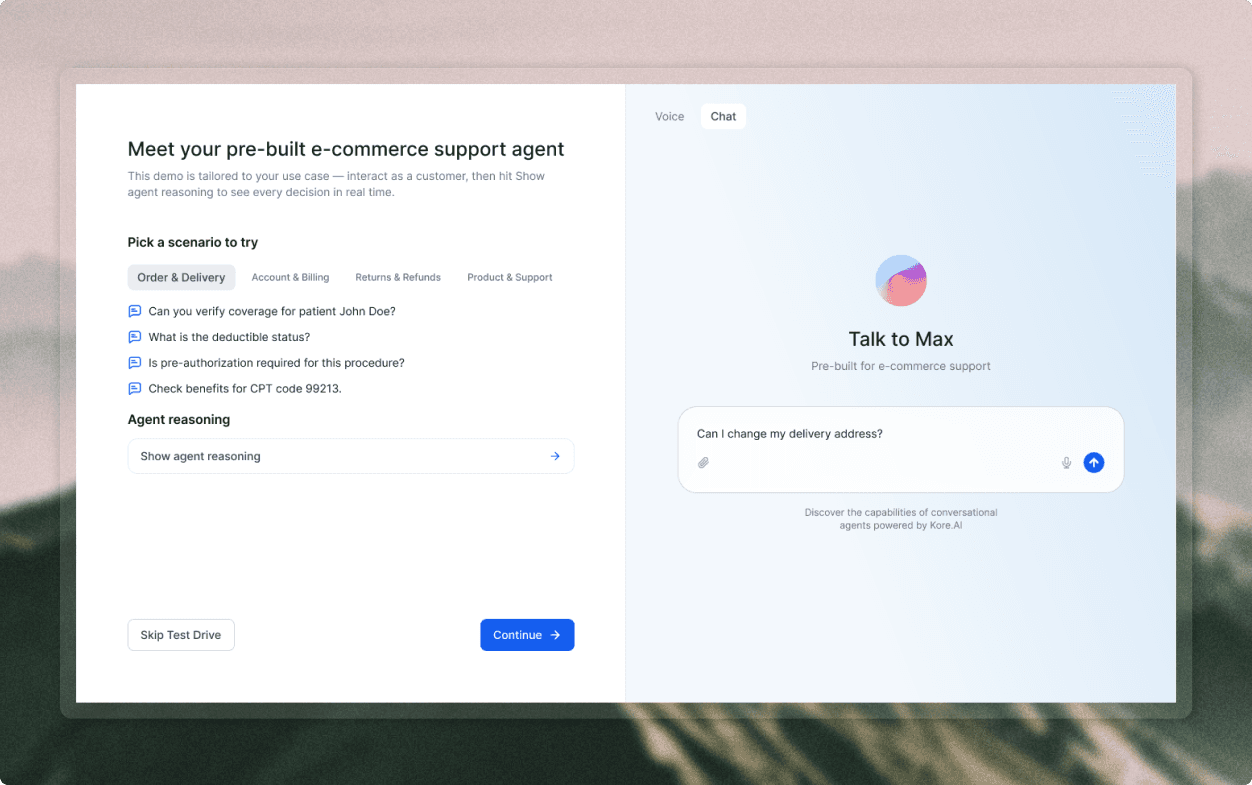
Chat test drive
Chat mode lets users try the same support scenario through a familiar typed interaction.
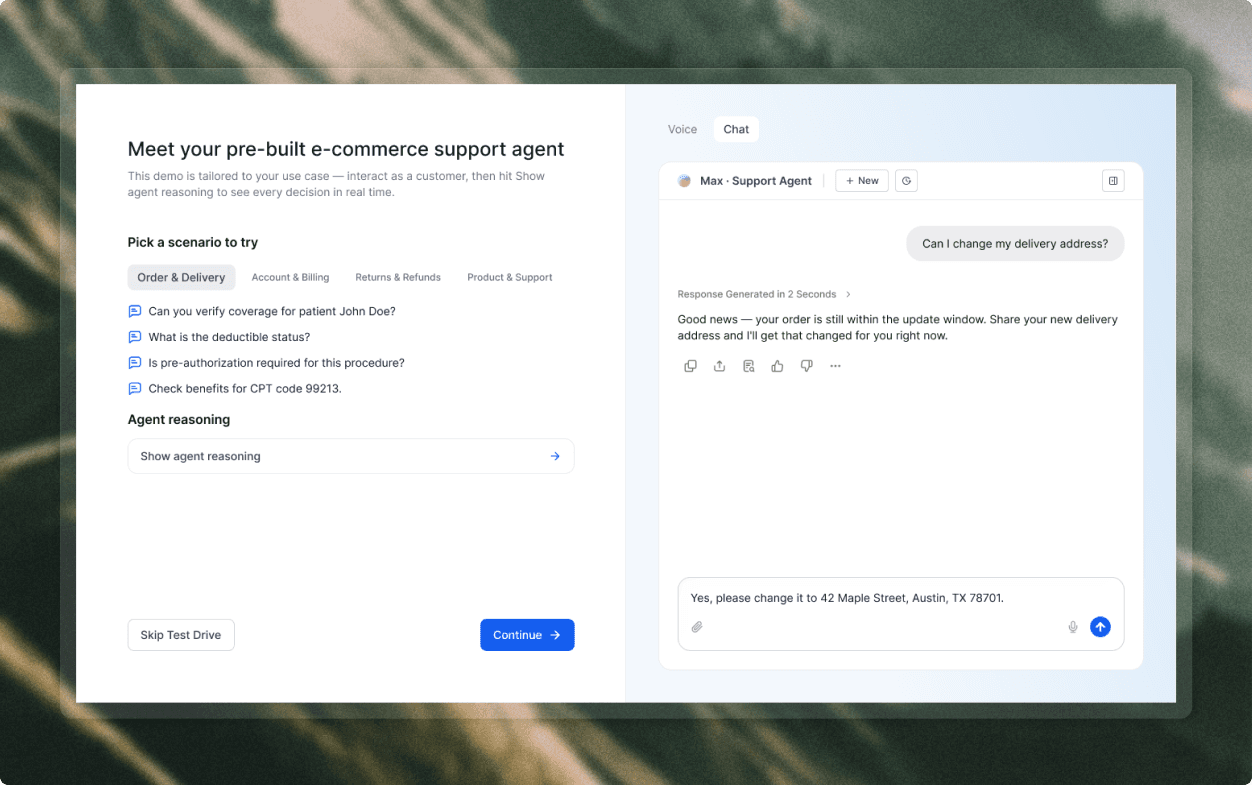
Response quality preview
Generated answers show response quality before users commit to their own configuration.
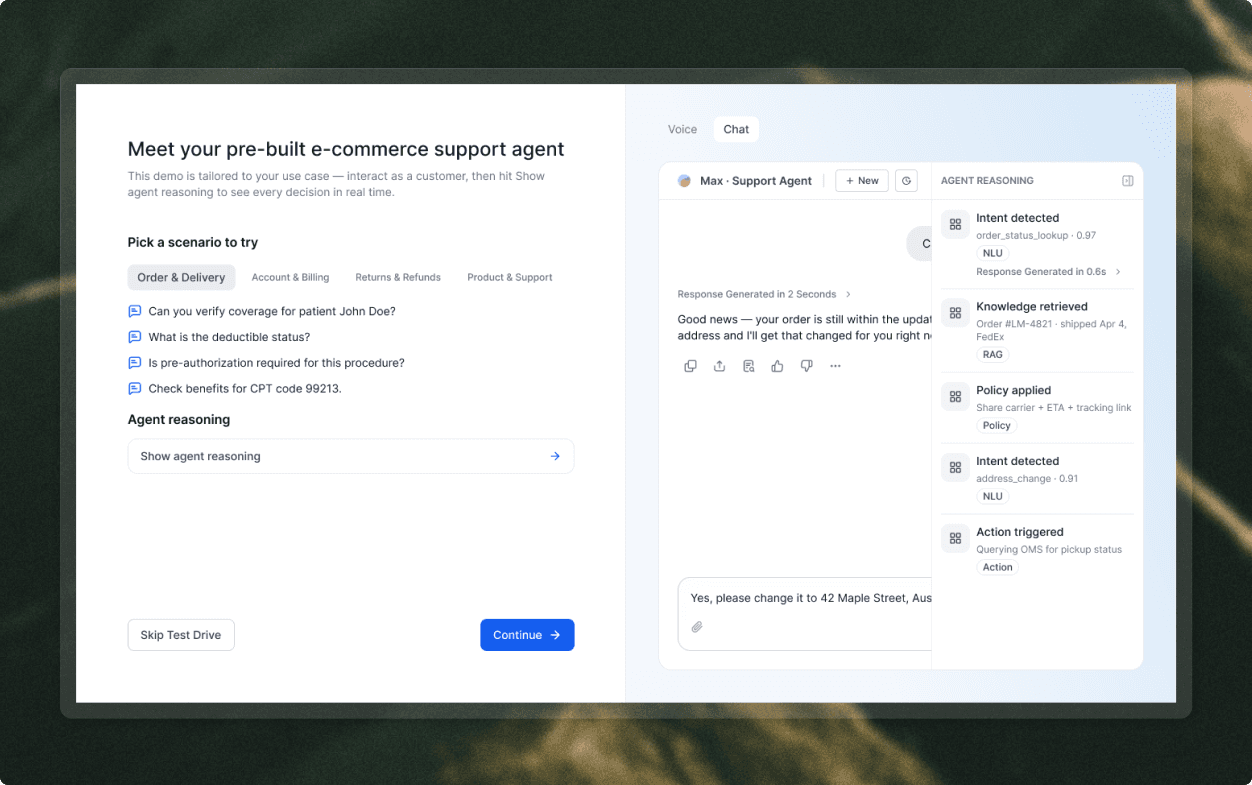
Agent reasoning panel
Reasoning exposes intent detection, retrieval, policy, and action steps so the demo earns trust.
03 / Conversion
Move from proof to authorship.
Once users understand the demo, the product offers a clear choice: keep exploring or start building with Arch.
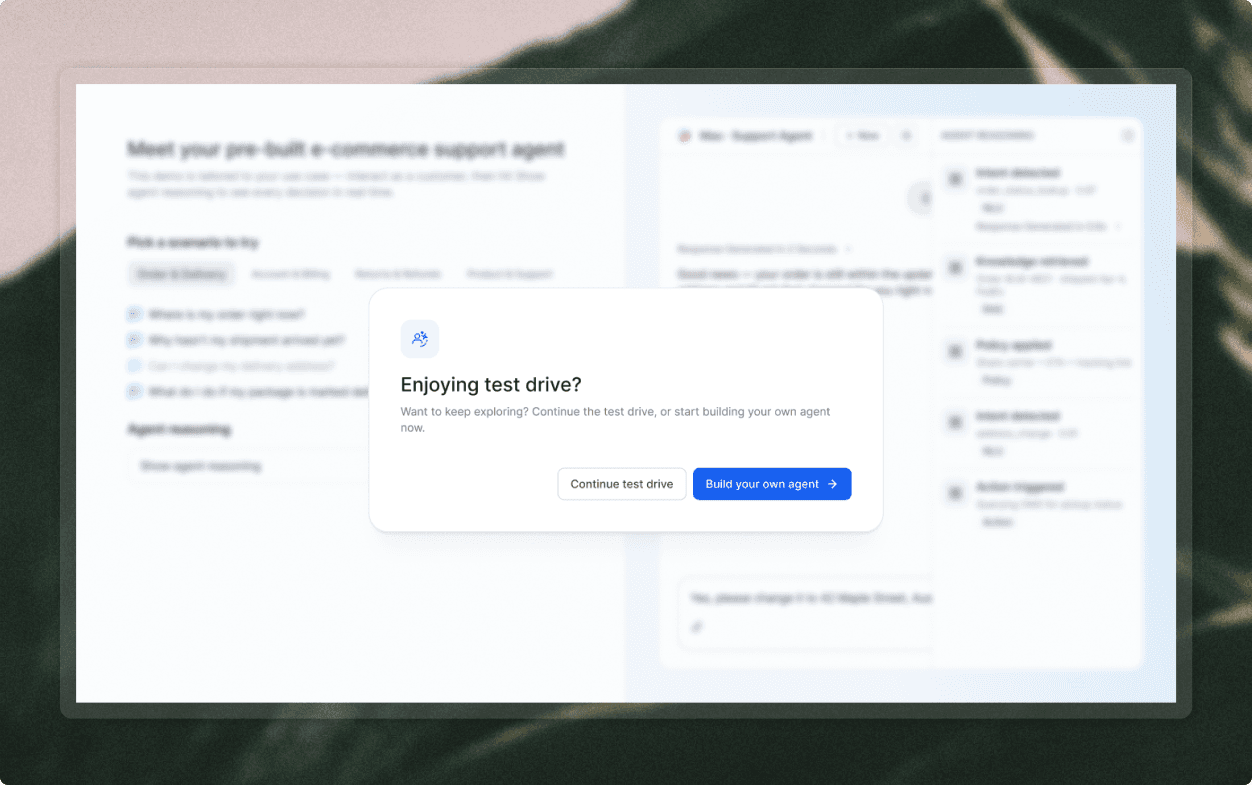
From test drive to build
The conversion prompt appears after proof, when custom build feels like the natural next step.
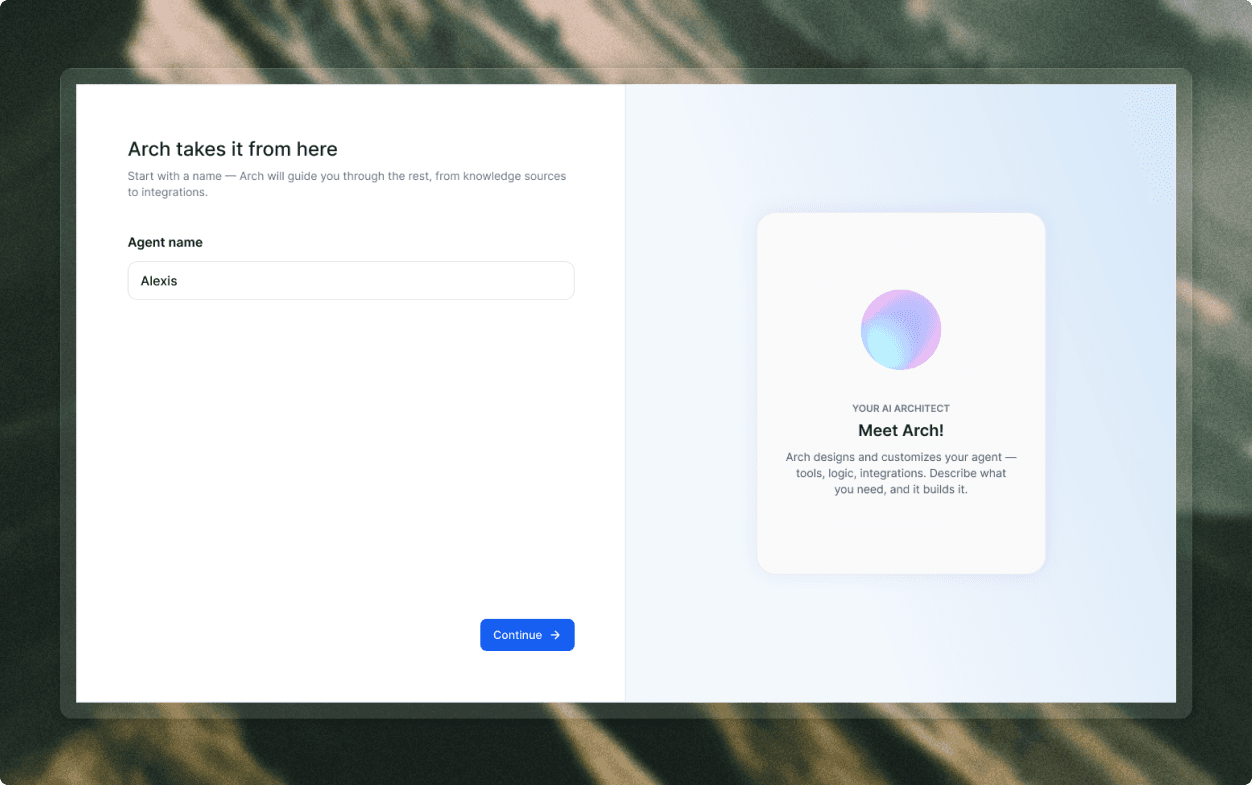
Arch takes over
Arch starts with a minimal first request: name the agent, then continue with guidance.
04 / Context
Turn context into behavior.
Arch helps users move from source material to rules, voice choices, and operating principles without making setup feel heavy.
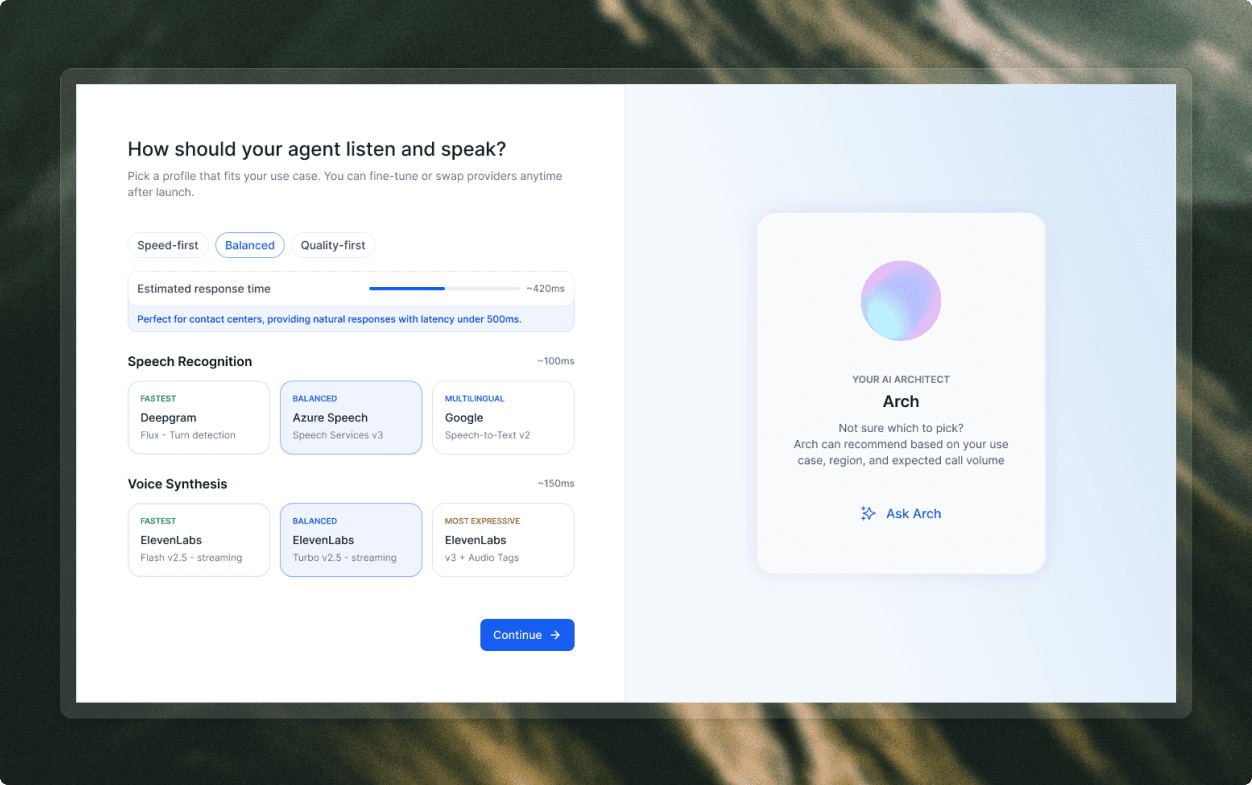
Voice provider choice
Provider selection is framed around practical tradeoffs: speed, quality, latency, and language support.
05 / Architecture
Make the system inspectable.
The generated architecture becomes visible before launch, so users can understand, inspect, and modify the agent system.
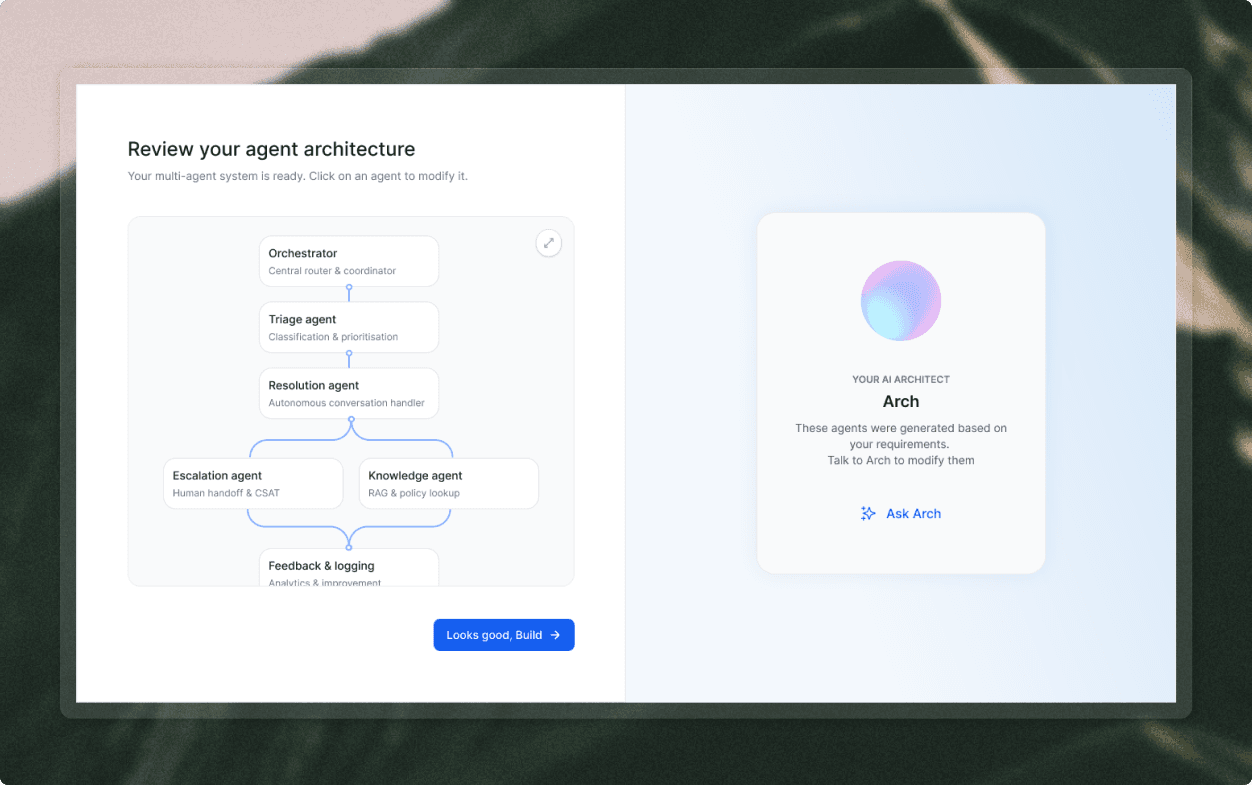
Agent architecture review
Architecture review turns Arch's output into a clear system map before launch.
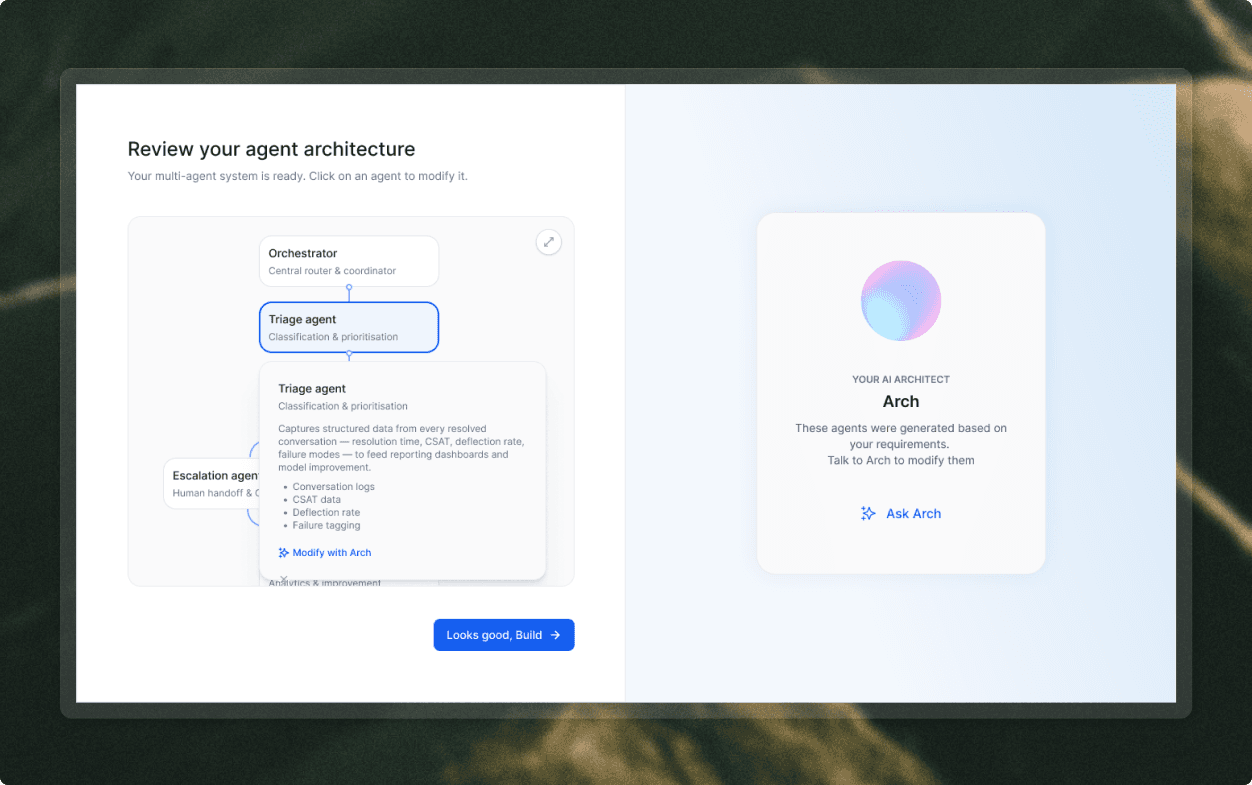
Inspecting an agent
Selecting an agent reveals responsibilities, captured data, and a path to modify it with Arch.
06 / Launch
End with a launch decision.
The final step turns architecture into a channel choice, rollout mode, and a clear next action.
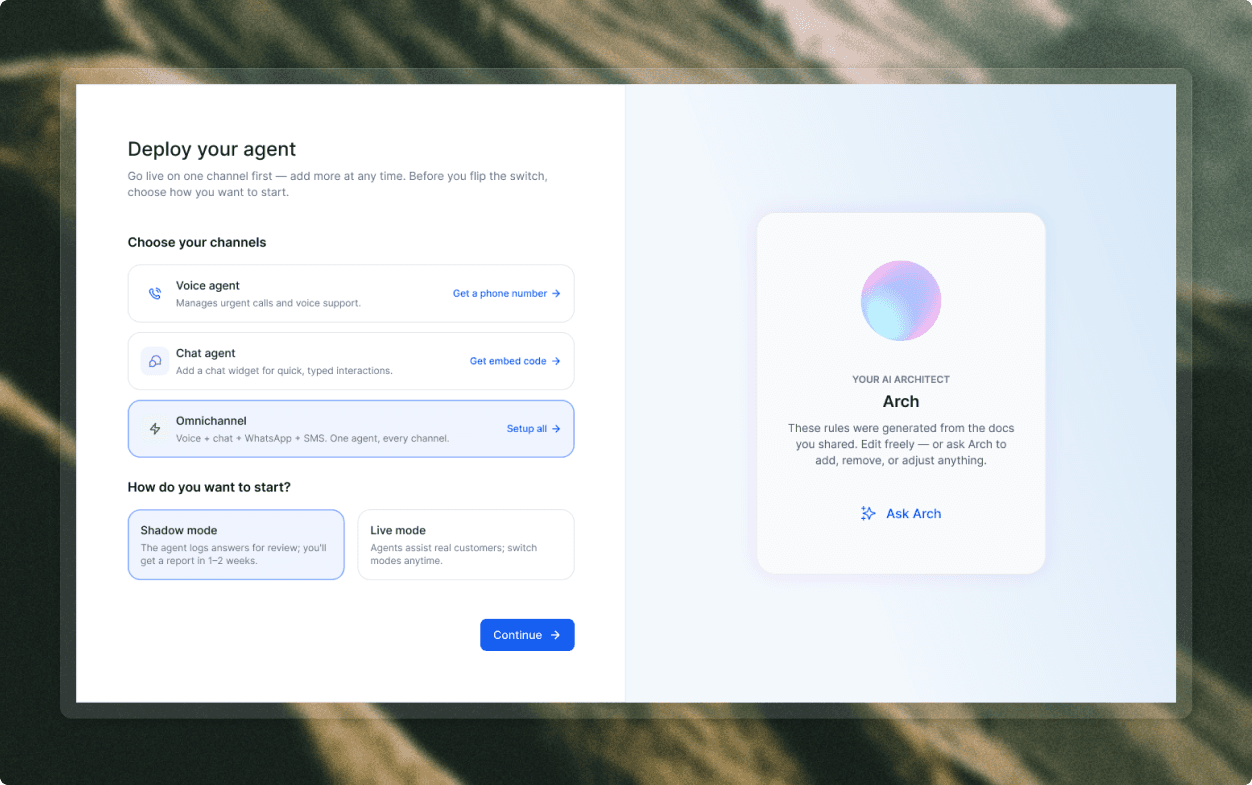
Deployment choices
Deployment separates channel setup from rollout posture: shadow mode or live mode.
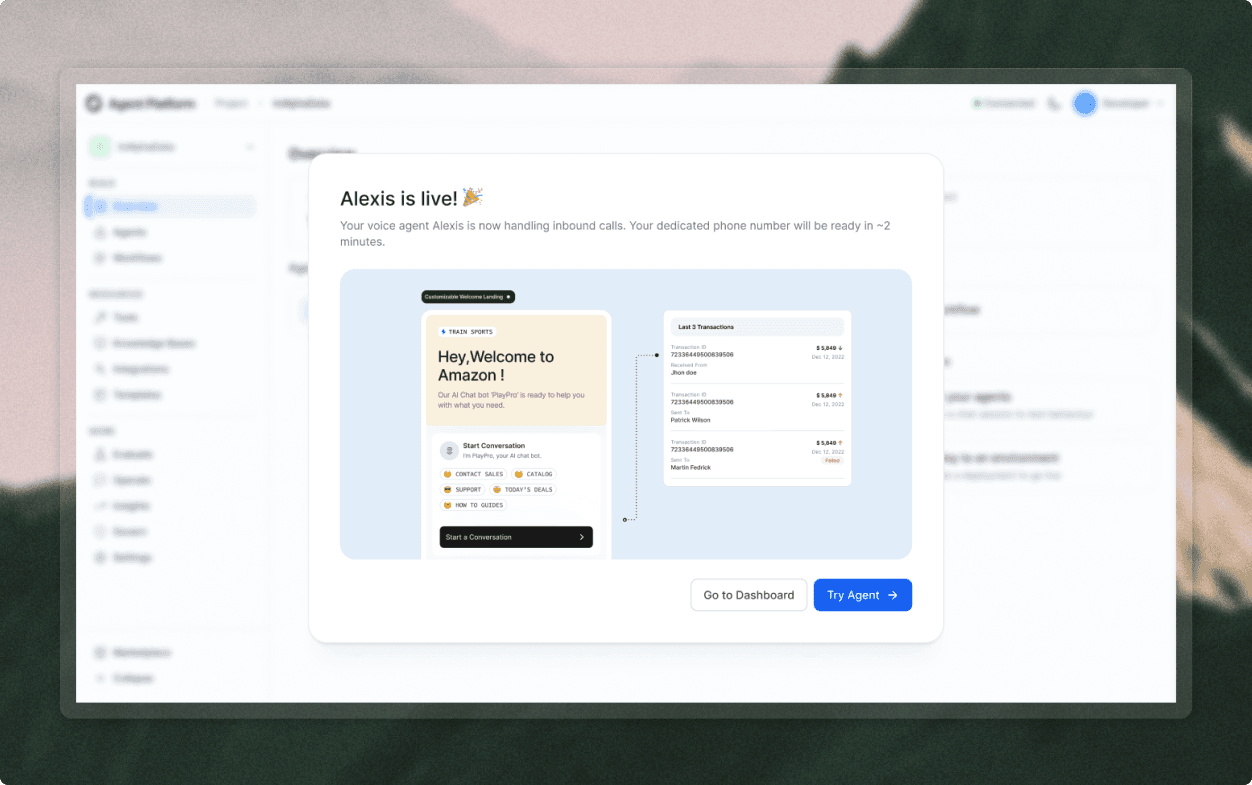
Agent is live
Launch confirmation closes onboarding with a working agent and two routes: dashboard or test.
Agent decision cards
Role, use-case, provider, and deployment choices use the same card pattern so setup feels consistent.
Reasoning surfaces
Intent, retrieval, policy, and action steps are exposed in a way that makes agent behavior inspectable.
Arch as sidecar
The chat pattern gives users a persistent place to ask, attach context, change rules, and refine architecture.
Use the same visual language for simple business choices and deeper technical decisions.
Keep generated outputs editable, not final.
Make every setup step explainable through Arch.
The redesigned onboarding gives ABL a more useful first impression. Users identify their context, try a tailored agent, inspect how it works, and then use Arch to assemble their own system from source material, rules, provider choices, chat questions, and deployment settings.
Activation milestone
Demo to build
The pre-built test drive becomes the bridge from PLG evaluation into custom agent creation.
Confidence driver
Arch-led
Configuration-heavy setup becomes a guided conversation users can question, inspect, and adjust.
Completion model
Live agent
Completion is defined around a deployed agent path, not a checklist of disconnected settings.
Reduced the technical burden at the start of onboarding.
Showed a working agent before asking users for custom setup.
Created one explanation layer through Arch for both business users and technical evaluators.
Made generated rules and architecture inspectable before deployment.
The early agent platform onboarding proved that powerful configuration is not the same thing as product-led activation. Agentic products need to prove capability, explain decisions, and make generated work editable before users are asked to configure deeply. For ABL, that meant designing onboarding around confidence: try an agent, inspect why it works, then build your own with Arch beside you.
Design principle
Do not ask users to configure what they do not yet believe in. Prove the agent first, then invite them to shape it.
What I would measure next
Role selection, demo engagement, reasoning-panel opens, build conversion, Arch questions, file attachments, source upload, rule edits, provider changes, architecture modifications, deployment mode, and first post-launch test.
Do not treat PLG onboarding like implementation onboarding.
Introduce ABL through intent and a working demo before custom setup.
Use Arch as an embedded onboarding agent, not detached help.
Give technical users a chat-inference path with support for Markdown files, rules, PDFs, and direct setup questions.
Expose reasoning and generated architecture so simplified onboarding stays trustworthy.